How to Read the Core Web Vitals Report in Search Console
Short answer
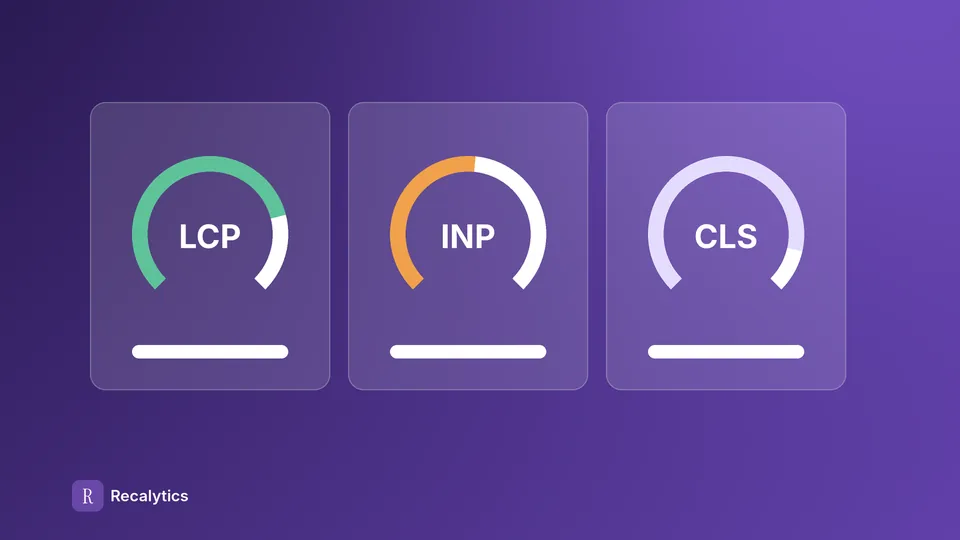
The Core Web Vitals report in Search Console rates loading (LCP), responsiveness (INP) and layout stability (CLS) from real Chrome user data. Each URL group is rated Good, Needs improvement or Poor for each device type.
In this article
- Which metrics are in the Core Web Vitals report?
- How is a URL group's status set?
- Mobile and desktop are rated separately
- The chart and the table can show different counts
- How do you validate a Core Web Vitals fix?
- Do Core Web Vitals affect rankings?
- How do you report Core Web Vitals to a client?
- Frequently asked questions
The Core Web Vitals report in Search Console rates page experience from real Chrome user data, using 3 metrics: LCP, INP and CLS. The report sits under Experience in the left menu.
Clients usually ask about the Core Web Vitals report after they see many URLs marked Poor in Search Console. This guide covers each metric, how a status is set, how to validate a fix and how to report it.
Which metrics are in the Core Web Vitals report?
The Core Web Vitals report uses 3 metrics: LCP for loading, INP for responsiveness and CLS for layout stability. Each metric is rated at the 75th percentile, which means 75% of visits were at that value or better.
| Metric | What it measures | Good | Needs improvement | Poor |
|---|---|---|---|---|
| LCP (Largest Contentful Paint) | Time until the largest content on screen has loaded | 2.5 s or less | up to 4 s | over 4 s |
| INP (Interaction to Next Paint) | Time the page takes to respond to a click, tap or key press | 200 ms or less | up to 500 ms | over 500 ms |
| CLS (Cumulative Layout Shift) | Unexpected layout movement while the page opens | 0.1 or less | up to 0.25 | over 0.25 |
The thresholds in the table come from the Search Console documentation. The data comes from the Chrome UX Report (CrUX), which records visits by real Chrome users rather than lab tests.
How is a URL group's status set?
A URL group's status is set by its worst metric on that device type. A group with Poor CLS stays Poor even when its LCP and INP are Good.
Search Console puts URLs with a similar experience into one group. The group's status applies to every URL in it. A group without enough data falls back to the origin group, which covers every URL under one protocol and host.
Mobile and desktop are rated separately
Mobile and desktop each get their own status. A URL can be Good on desktop and Need improvement on mobile, so open both reports before drawing a conclusion.
The chart and the table can show different counts
The chart counts each URL once, by its slowest issue. The table counts every issue, so one URL can appear in 2–3 rows.
How do you validate a Core Web Vitals fix?
You validate a fix by opening the issue in the report and choosing Start tracking once the fix is live. Search Console then monitors those URLs for 28 days.
Validation starts from the issue list in the report:
- Fix the page, then test the result with PageSpeed Insights or Lighthouse.
- Open the fixed issue in the Core Web Vitals report.
- Click Start tracking to open the 28-day monitoring window.
- Wait for the validation status to change to Passed or Failed.
An issue counts as fixed only when it is absent from every URL for the full 28 days. Start tracking doesn't make Google reindex the pages.
Fix · PageSpeed Insights
Test the page after the fix. Lab results are only an estimate, because the Search Console status still uses real user data.
Start tracking · Day 1
Search Console starts monitoring the URLs affected by the issue.
Monitoring · 28 days
CrUX data covers a 28-day window, so a fix only shows in full once that window has rolled over.
Result · Passed or Failed
Passed means the issue is gone from every URL. Failed means the issue still shows on at least 1 URL.
Do Core Web Vitals affect rankings?
Core Web Vitals are part of the page experience signals that Google's ranking systems use, but they are not the only signal. Google's documentation says good scores don't guarantee a top position.
Google also writes that Search still shows the most relevant content even when its page experience is poor. Check other causes before linking a traffic drop to Core Web Vitals. The list of causes is in the guide to an organic traffic drop.
How do you report Core Web Vitals to a client?
Report Core Web Vitals as the number of URLs in each status for mobile and desktop, compared with the month before. Clients read a change in status more easily than a change in milliseconds.
The Core Web Vitals part of a monthly report can follow this order:
- Good, Needs improvement and Poor URL counts for mobile and desktop.
- The main issue, for example LCP over 2.5 s, with an example URL group.
- Fixes already made and their validation status.
- The date tracking started, so the client knows when to expect a result.
Core Web Vitals usually go in the technical part of the monthly SEO report. Recalytics shows real-user LCP, INP and CLS for mobile and desktop on the technical slide of the monthly report, compared with 4 weeks earlier.
Frequently asked questions
How do PageSpeed Insights and the Core Web Vitals report differ?
PageSpeed Insights shows a lab test and real user data. The Core Web Vitals report in Search Console only uses real user data.
How long does a status take to change after a fix?
The status follows a 28-day data window. The full change usually shows 28 days after the fix went live.
Is FID still used?
No. INP replaced FID as the responsiveness metric in Core Web Vitals on March 12, 2024.
Sources
The Recalytics Team writes guides on SEO and analytics reporting for digital agencies and website owners, based on Google's official documentation and Search Console and GA4 data.